Global Map – HoMM: Olden Era Begginer’s Guide #1
Greetings, Heroes and Heroines! As your appointed council, it is my responsibility to help you understand how to effectively run your empire, from its heroes and creatures to its towns and battles.
A tip to lead things off: Holding the SHIFT key can expand a tooltip, providing more key information for you to understand what you’re looking at!
Adventure map
The Global Map is where you’ll interact with the world around you. Do note that the option to highlight interactive points of interest are found under Settings -> Readability.
There’s a lot of information to process on this screen, so let’s break down the major elements, starting in the top left corner:
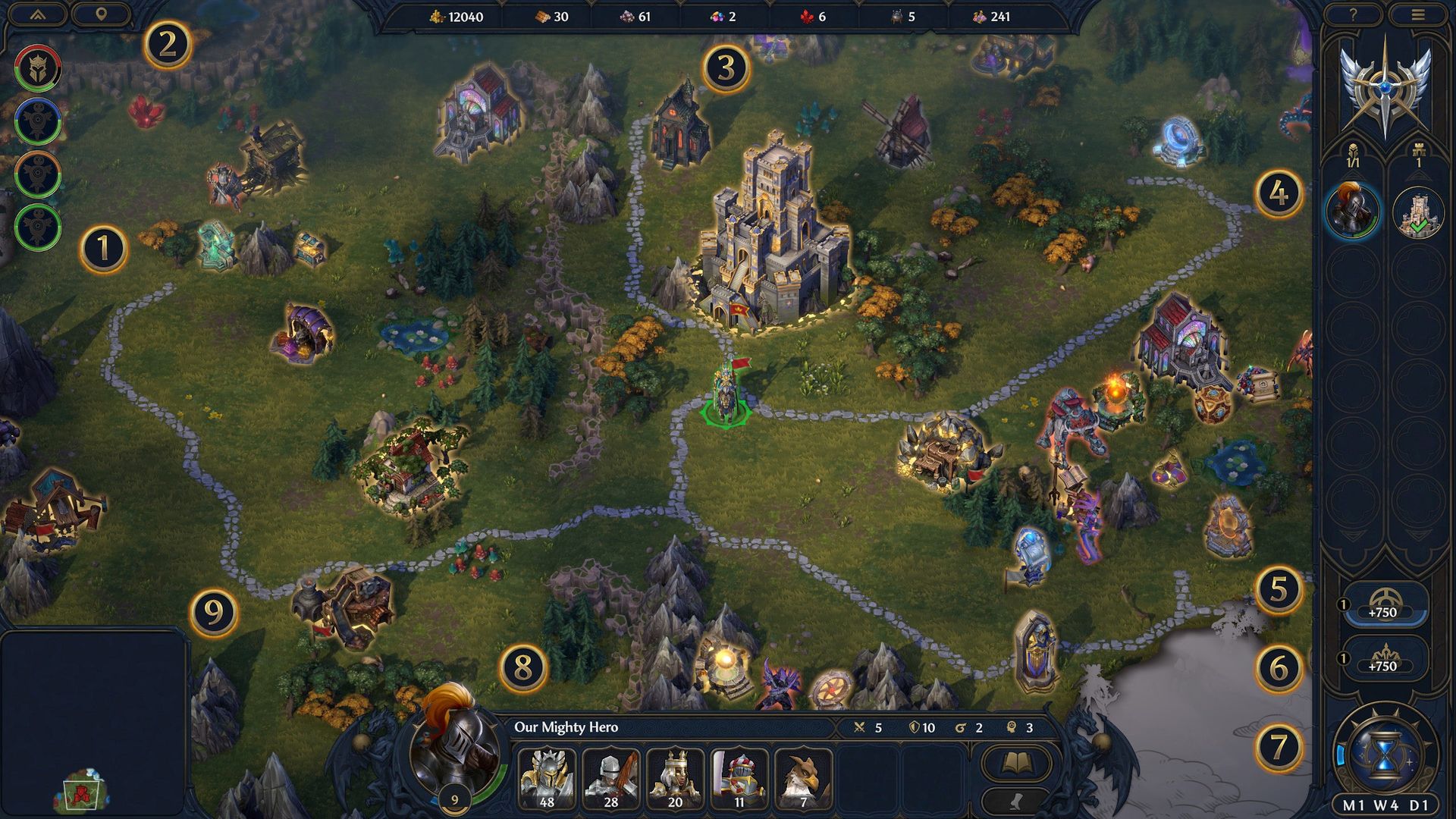
- Player List – Shows the current list of players in the game. Can be toggled to show or hide.
- Map Settings – A set of toggles to provide more information on the map, including a Grid, Danger Zones from enemies, Area Borders, and whether to follow an opponent on the map during their turn.
- Resources – Your resources of Gold / Wood / Ore / Gems / Crystals / Mercury / Alchemical Dust. These resources are required for nearly all gameplay activities – constructing buildings, hiring Creatures and heroes, studying and upgrading spells, and more. Hover over each Resource to see how much you’ll receive in the next turn. Resources can be obtained in multiple ways:
- Found directly on the Global Map.
- Generated every turn by captured locations on the Global Map.
- Collected by visiting objects on the map.
- Generated every turn through certain buildings or Faction Laws.
- Hero & City Selection – Select through multiple heroes and cities.
- Hero Selection – Quickly see how much Mana (blue bar) and Movement Points (green bar) each hero has. Singleclick the hero to pan to their location. Double-click on any hero to open up the Hero Panel.
- City Selection – Quickly see if your Cities are able to construct a building this turn (as noted by building tool icon) or if they have finished one this turn (as noted by the green check mark). Single-click on a city to pan to its
location. Double-click the city to open the City Panel.
- Magic Observatory – Allows you to unlock and upgrade spells. The +750 indicates the amount of Astrology Points you generate per turn, which will then generate Insights at certain thresholds. The +1 indicates that there is an Insight, used to unlock a High Neutral spell.
- Faction Laws – Allows you to unlock and upgrade Faction Laws, faction-wide effects for your empire. The +750 indicates the amount of Law Points you generate per turn, which will then generate a Law Seal at certain thresholds. The +1 indicates that there is a Law seal, used to enact or upgrade a current Law.
- End Day – Selecting End Day will end your turn, with every 7 days marking the beginning of a new week.
- Hero Army – Shows the currently selected Hero, as well as their Hero Stats and current Army. Double-click to open the details screen of the selected Hero.
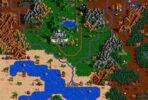
- Minimap – Provides an overview of the current map, with indicators for captured structures and other interactable objects, City locations, and area borders.
HoMM: Olden Era Begginer’s Guides:
- #1 – Global Map
- #2 – Movement & Exploration
- #3 – Cities & Faction Laws
- #4 – Magic
- #5 – Heroes
- #6 – Creatures
- #7 – Battle
Heroes III Griffin shield badge in stock

WoG Folder – All HoMM mods in one place