How to install Heroes 3 VCMI engine and mods 2026 guide

The Heroes III VCMI engine is an excellent choice if you want to try completely new towns such as Pavilion, Forge, Grove, Courtyard, and countless other modifications that can be installed with a single click through the VCMI Launcher.
The installation process is very simple and only takes a few steps. The “hardest” part is obtaining the GOG version of Heroes III Complete. A video tutorial is also available. Let’s get started!
Step 1: Obtain Heroes III Data Files
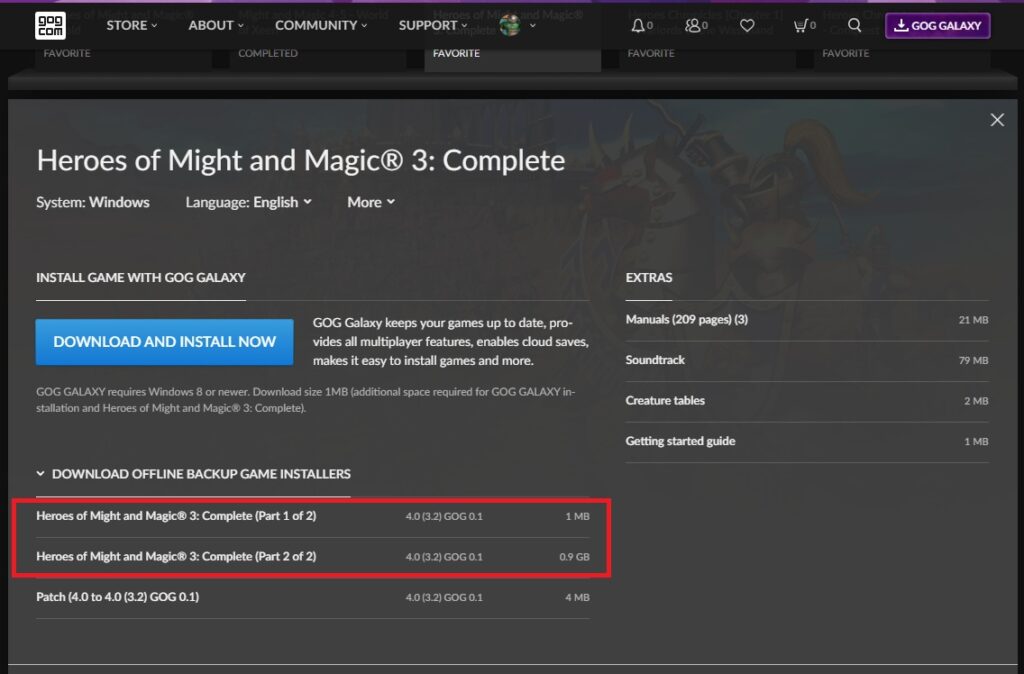
Download the offline backup installers for Heroes III Complete from GOG.com. There are two files: one with the .exe extension and another with the .bin extension.
I highly recommend keeping these offline installation files on your PC, as virtually all Heroes III mods require the GOG version of Heroes III Complete.
Save both files in the same folder.
Step 2: Download and Install VCMI
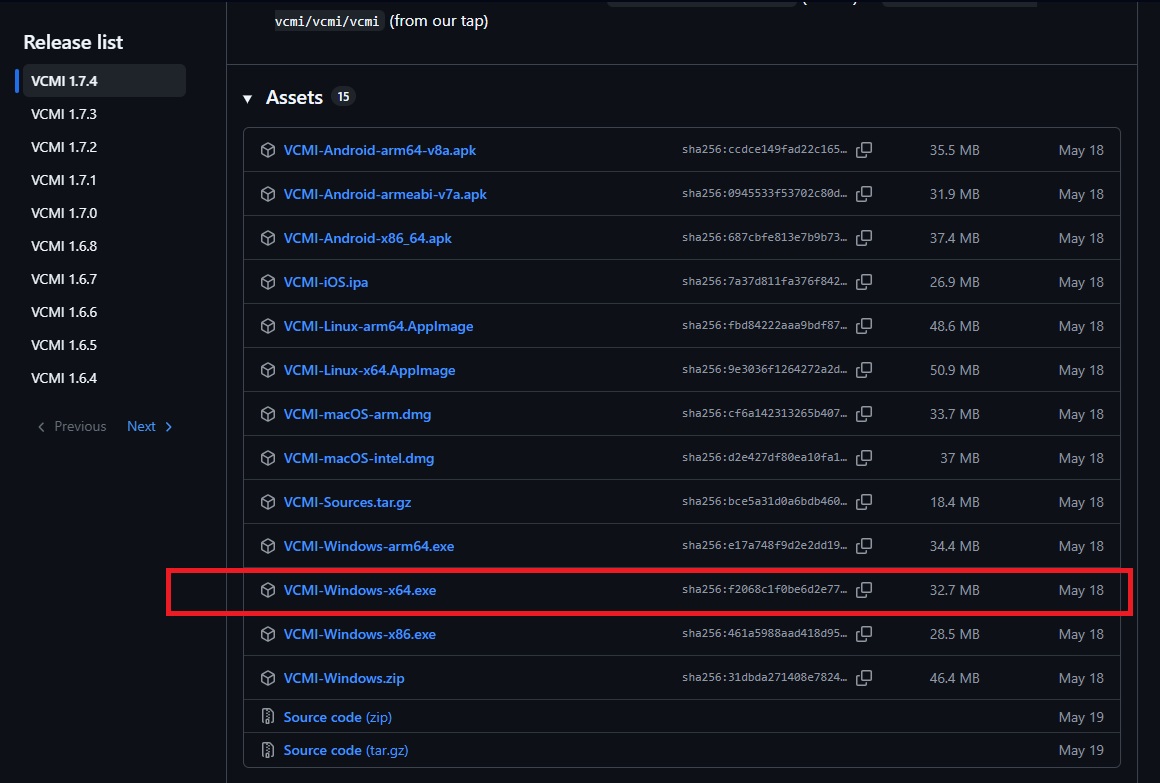
Download the latest version of VCMI from the official GitHub repository. For Windows, look for the file named VCMI-Windows-x64.exe.
Download the installer and run it.
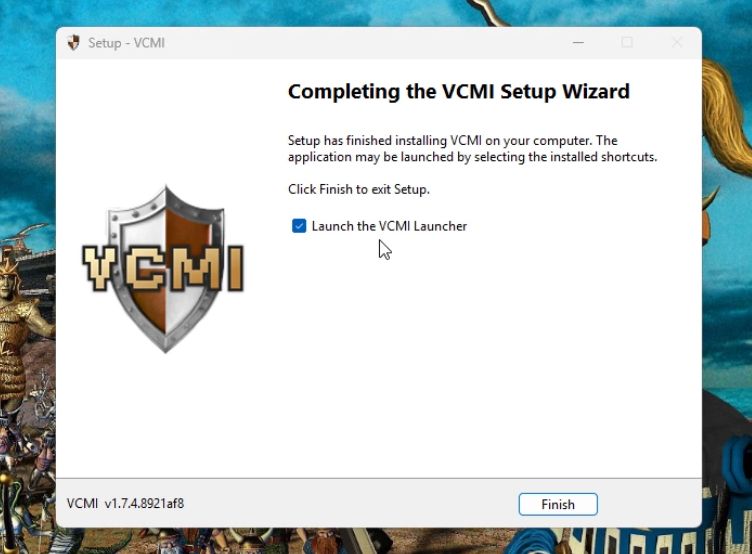
Complete the installation process and launch the VCMI Launcher.
Step 3: Import Heroes III Data into VCMI
Open the VCMI Launcher and choose your preferred language.
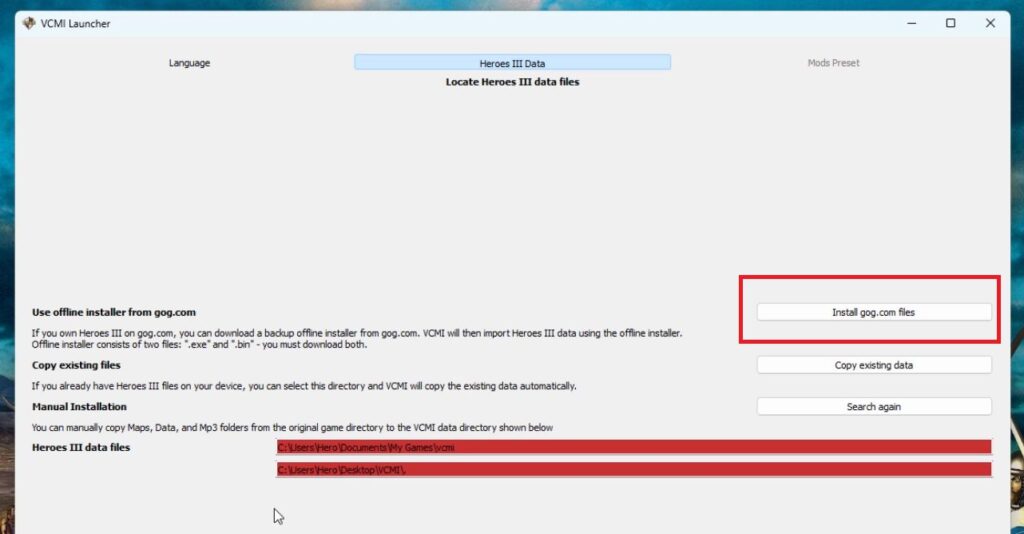
In the next step, select “Install gog.com files”, locate the folder containing your GOG Heroes III Complete offline installers, and select the .exe file.
The game files will be imported into VCMI. During the next step, you can immediately choose several major modifications to download and install. Personally, I recommend Horn of the Abyss and Tides of War.
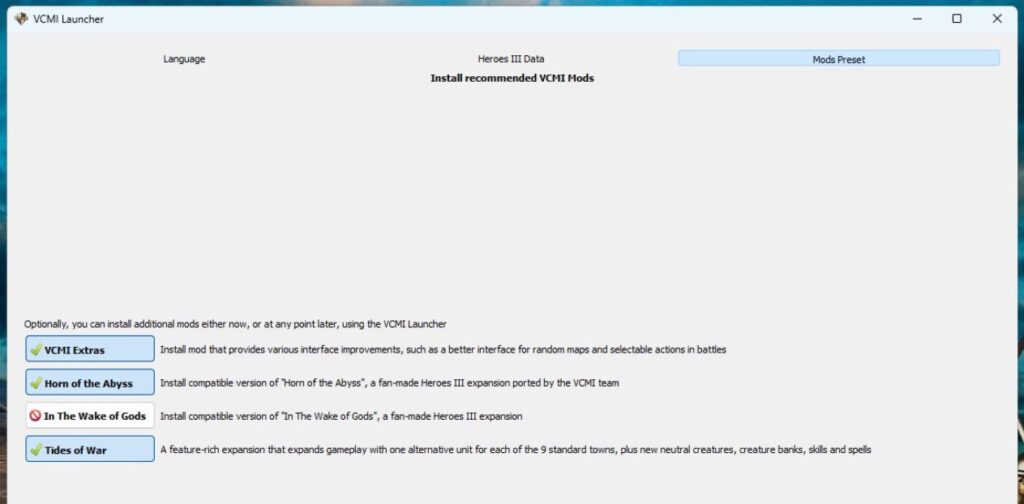
Step 4: Finish the Setup in the Launcher
That’s it! VCMI is now installed and ready to play.
The VCMI Launcher gives you one-click access to all available mods. You can also customize various settings, such as your screen resolution or graphical filters.
If two mods are incompatible, VCMI automatically disables the conflicting ones. The system also works the other way around, automatically enabling compatible configurations whenever possible. It’s a fantastic feature.
Once you’ve installed all the mods you want, click “Game” in the top-left corner of the Launcher, then click “Play” in the bottom-right corner.
Have fun playing and testing, heroes!
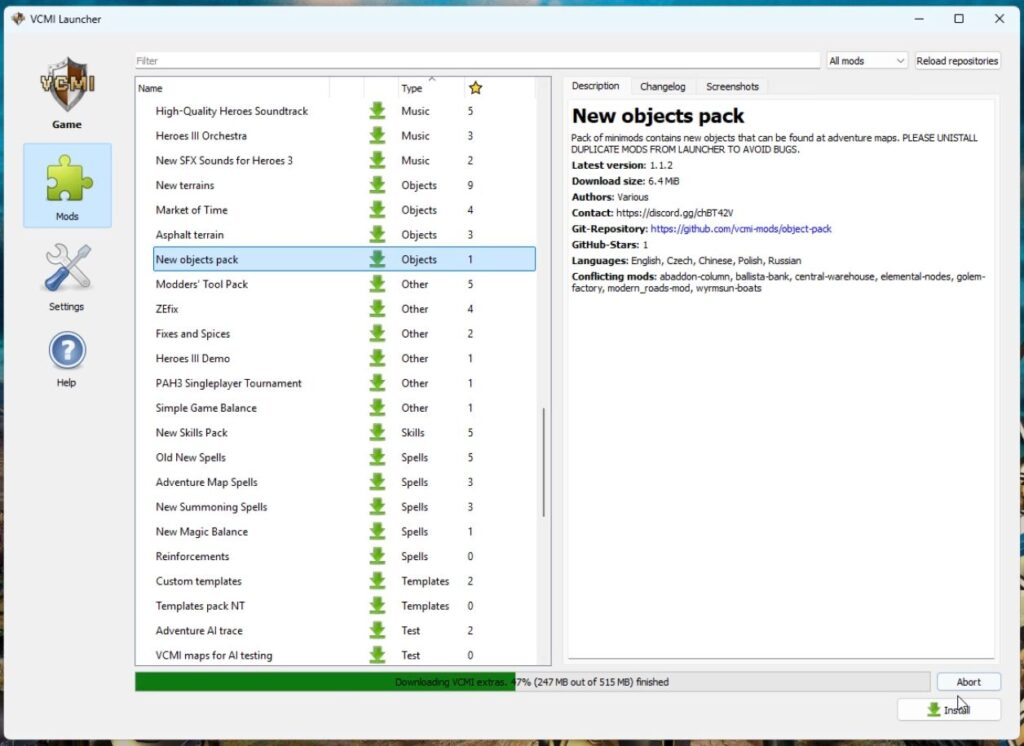
How to install Heroes 3 VCMI engine and mods 2026 video guide
Heroes III Griffin shield badge in stock

WoG Folder – All HoMM mods in one place




I got VCMI Crashhandler every time i open that 🙁