Heroes 3: Arena Battles mod download
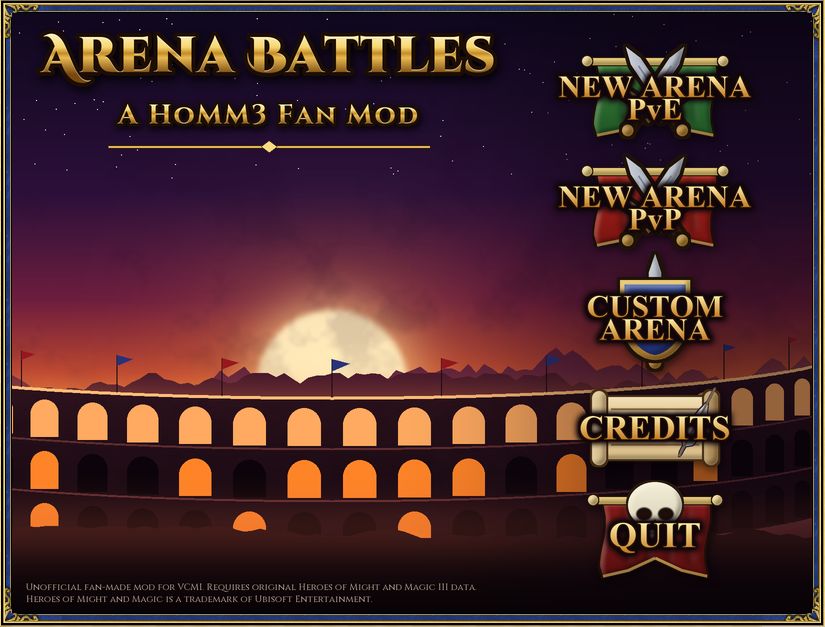
Draft a hero, build an army, fight one battle. Arena Battles is a arena mode for Heroes of Might and Magic III, built on the open-source VCMI engine. There is no map and no economy, and you won’t wait 100 turns. You pick a hero, draft skills, spells, artifacts and creatures one screen at a time, and then everything comes down to one battle.
| Platform | VCMI |
| File Size | 33 MB |
| Version | 0.5.0 |
| Updated | 30.10.2026 |
| Author | tishonator |
| Status | active |
| Download (official, github) | |
| Download (alternative, WoG Folder) | |
| Heroes 3 Complete GOG version (necessary for installing mod) | |
| ⚙️WoG Folder is online source of HoMM mods I’ve discovered over the past decade. It’s regularly updated, and all mods are neatly organized. The WoG Folder also contains various goodies like the “Did you know?“ series, artworks, manuals, meme collections, and more. | |
Heroes 3: Arena Battles Features
- Three arena modes:
- PvE draft against the computer;
- PvP hotseat for two players on one computer;
- Custom Arena, where you set up both sides by hand.
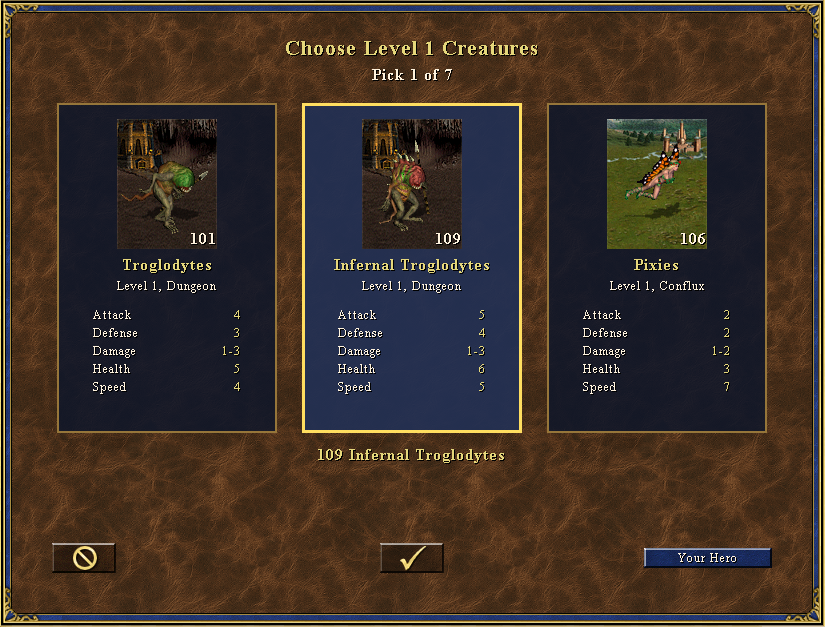
- A full draft in about 10 minutes. Pick 1 of 3 heroes, level them to 25, then choose 9 spells, 9 artifacts and 7 creature stacks, always from 3 random offers.
- A smart AI opponent. In PvE, the computer drafts the same way you do and always takes the strongest offer.
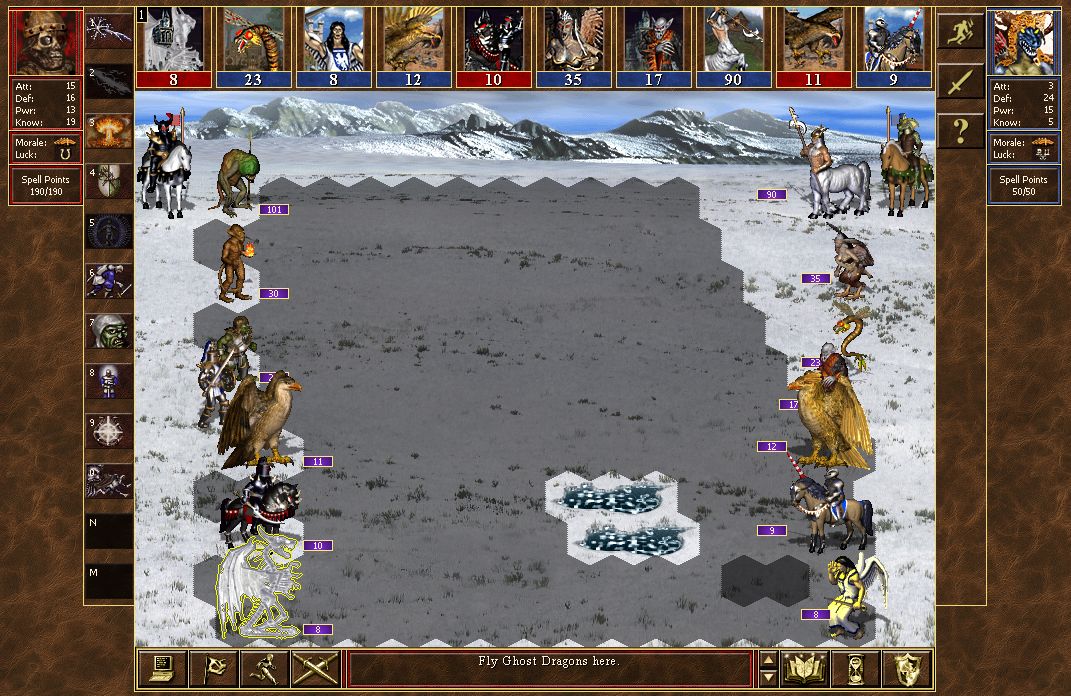
- Fair fights. Quick combat is off, both sides get the same number of picks, and the battlefield is random.
- Original HoMM3 look and feel. The mod runs on your own copy of the game data, so it has the classic creatures, spells, artifacts, music and battle screen.
- Runs everywhere VCMI runs: Windows, macOS, Linux, Android and iOS.
- Free and open source.
How a draft works
-
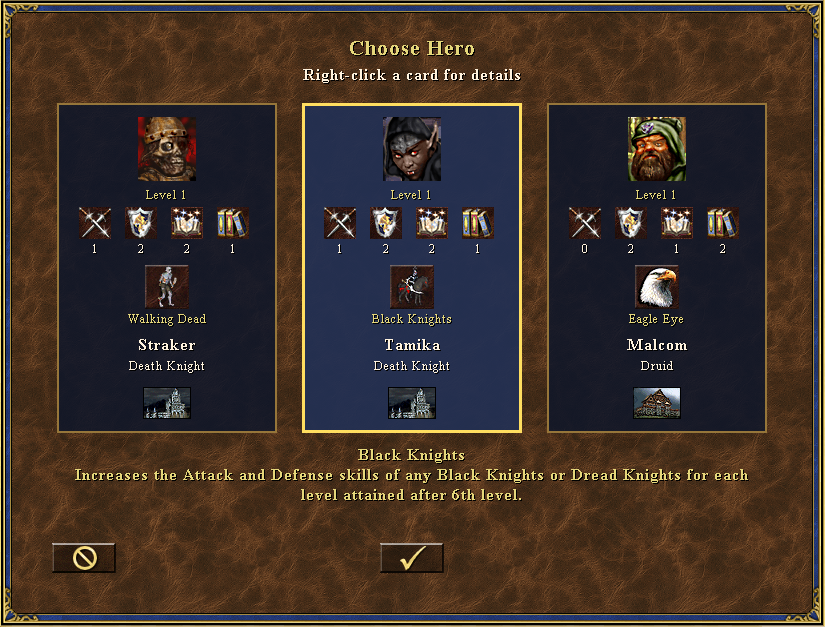
Choose your hero. You get 1 of 3 random heroes. Every hero starts with a spell book.
-
Level up to 25. At each level-up you choose a primary skill bonus and a secondary skill, like in the original game.
-
Spells. There are 9 screens, and on each you take 1 of 3 spells.
-
Artifacts. There are 9 screens, and on each you take 1 of 3 artifacts. Then you arrange them on your hero’s paper doll.
-
Creatures. There are 7 screens, one for each creature level, and on each you take 1 of 3 stacks. Stack sizes depend on the level:
Level 1 2 3 4 5 6 7 Amount 90-110 30-40 20-25 14-18 11-13 9-10 7-8 -
Confirm. Review your hero and see your opponent’s hero. Then press Begin.
-
Fight! One battle on a random battlefield decides the winner, and then the game ends.
Windows installation
- Run the
.exeinstaller. Windows SmartScreen may warn you because the installer is not code-signed. Click More info → Run anyway.- If you prefer the portable
.zip, extract it to any folder, for exampleC:\Games\ArenaBattles.
- If you prefer the portable
- The installer adds a VCMI Arena Battles shortcut. It installs next to any official VCMI install and does not replace it.
- Start VCMI Arena Battles (
VCMI_launcher.exein the portable version) and continue with First launch.
First launch
- The launcher opens first. If it doesn’t find your HoMM3 data, its setup wizard asks for it. You have two options:
- point it at your HoMM3 install folder (the one containing
Data,MapsandMp3); - give it the GOG offline installer (
setup_heroes_of_might_and_magic_3_complete_*.exe), and it unpacks the files for you.
- point it at your HoMM3 install folder (the one containing
- Skip the wizard’s mod suggestions if you like. Arena Battles is already built in and enabled.
- Press Start game. The Arena Battles main menu opens.
- Choose New Arena PvE and have fun!
- (If you already have VCMI installed, I recommend disabling other major modifications.)
Heroes III Griffin shield badge in stock

WoG Folder – All HoMM mods in one place