Favorite Heroes 3 HD Mod Settings

If you play Heroes of Might and Magic III: Horn of the Abyss or ERA (Wake of the Gods), you’ve probably wondered which Heroes 3 HD Mod settings provide the best experience.
The HD Mod offers a wide range of graphics filters and display options. In this article, I’d like to share the settings I personally use. My goal was to keep the interface at a comfortable size while making the game look as sharp and clear as possible.
| Download: |
| Horn of the Abyss |
| ERA Project (Wake of Gods) |
I use a standard 1920×1080 monitor. However, if you select the same resolution in the HD Mod, the game’s interface becomes very small and less comfortable to use.
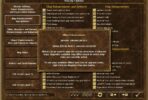
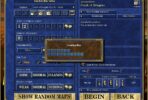
That’s why I prefer using a resolution of 1507×848 with 32-bit OpenGL by Verok (Stretchable Mode) and the FSR Sharper filter enabled.

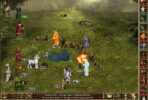
I’ve also included several in-game screenshots and a video so you can see how these settings look in practice. The game appears crisp, sharp, and very pleasant to play.
Please note: The screenshots and video featured in this article were captured using the Heroes III: ERA (Wake of the Gods) version of the game. However, the same HD Mod settings can also be used with Heroes III: Horn of the Abyss.


Heroes III Griffin shield badge in stock

WoG Folder – All HoMM mods in one place