Camera Rotation Unlocker mod – HOMM: Olden Era
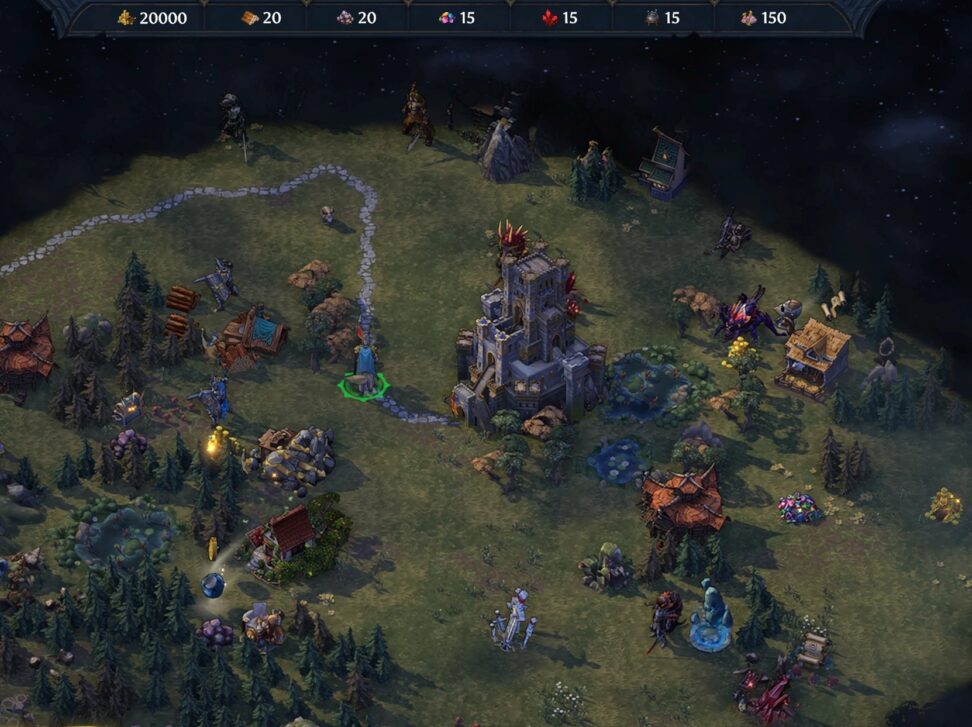
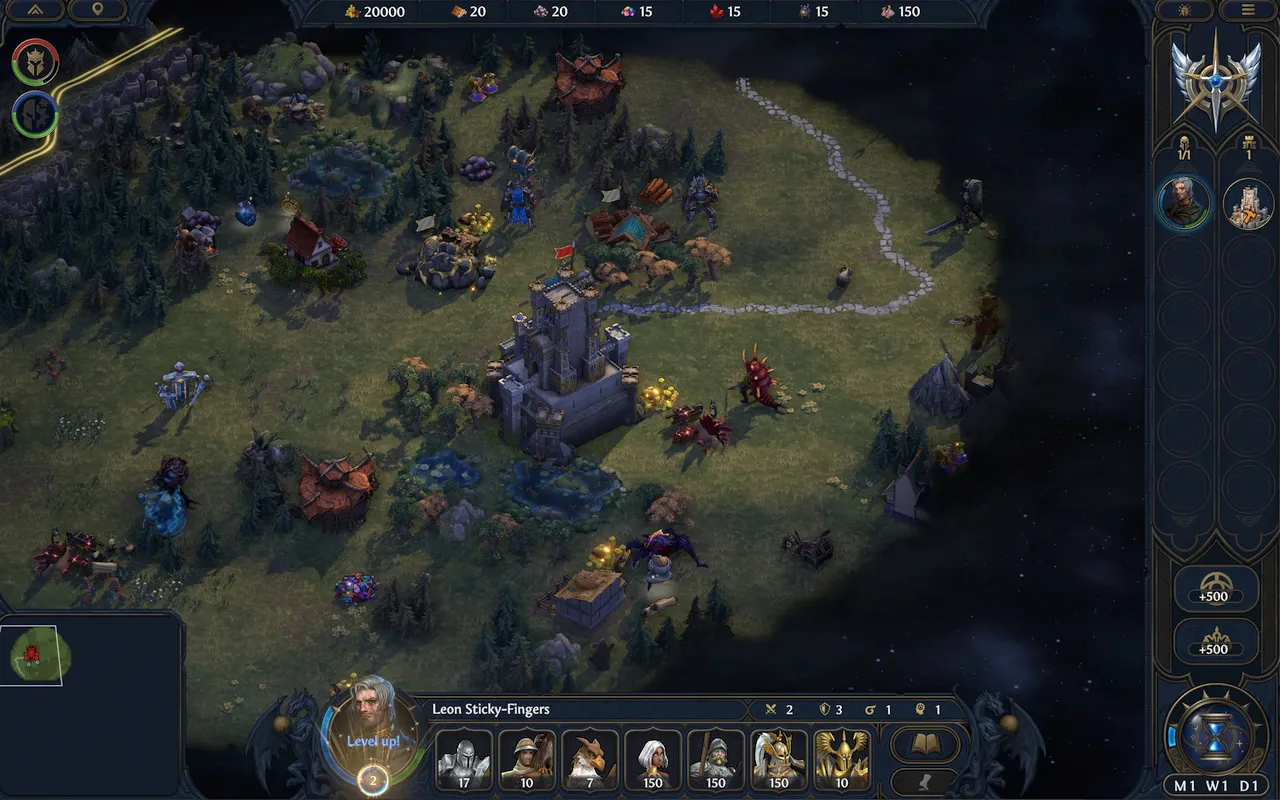
Camera Rotation Unlock is a BepInEx IL2CPP plugin that improves the world map camera by allowing fixed 90-degree camera rotation and smoother map movement while keeping the game’s original isometric feeling.
| Platform | Olden Era |
| Requires | BepInEx |
| File Size | 1 MB |
| Updated | 19.05.2026 |
| Version | 1.1 |
| Authors | Hellmanor |
| Status | active |
| Download (official, nexus mods ) | |
| works only with HoMM: Olden Era | |
| ⚙️WoG Folder is online source of HoMM mods I’ve discovered over the past decade. It’s regularly updated, and all mods are neatly organized. The WoG Folder also contains various goodies like the “Did you know?“ series, artworks, manuals, meme collections, and more. | |
This is not a free camera mod – it rotates the adventure map view in clean 90-degree steps, similar to changing between isometric angles.
Features
- Unlocks world map camera rotation.
- Rotate the camera with Ctrl + Mouse Wheel by default. It’ll change view in 90 degrees clockwise or counter-clockwise.
- Optional keyboard-only rotation with , and ..
- Configurable input mode through BepInEx config.
- Single-player focused.
Default Controls
- Ctrl + Mouse Wheel — rotate camera view.
- , / . — optional rotate left/right if enabled in config.
Requirements
- BepInEx 6 IL2CPP (Unity.IL2CPP win x64 build) installed in the game directory
Installation
- Install BepInEx 6 IL2CPP for the game.
- Place the mod DLL into: [GAMEFOLDER]/BepInEx/plugins/
- Launch the game.
- Adjust the config file if needed
Heroes III Griffin shield badge in stock

WoG Folder – All HoMM mods in one place





Heroes of Might & Magic V is still more advanced than Olden Era. 🙂