CheatPanel – HoMM: Olden Era mod
Cheat Mode Enabler lets you access and use the hidden Cheat Panel menu in the game. It is designed to behave similarly to the version available in the demo.
| Platform | Olden Era |
| File Size | 34 MB |
| Updated | 04.06.2026 |
| Version | 1.6 |
| Authors | Hellmanor |
| Status | active |
| Download (official, nexus mods ) | |
| works only with HoMM: Olden Era | |
| ⚙️WoG Folder is online source of HoMM mods I’ve discovered over the past decade. It’s regularly updated, and all mods are neatly organized. The WoG Folder also contains various goodies like the “Did you know?“ series, artworks, manuals, meme collections, and more. | |
Press Num0 to open or close the cheat panel. Use it for single player games only.
Installation
- Download the BepInEx 6 pack for Windows and extract all files into the Heroes of Might and Magic: Olden Era folder.
- Start the game once.
- On first launch, BepInEx will generate required IL2CPP files. This may take slightly longer than usual.
- Unpack the downloaded mod (two folders) directly into the Heroes of Might and Magic: Olden Era main folder.
- Allow overwriting if prompted.
Optional: Change Hotkey
- Navigate to:
Heroes of Might and Magic: Olden Era\BepInEx\Config
- Open CheatPanelConfig.cfg in a text editor (Notepad, Notepad++, VS Code, etc.)
- Edit the assigned key, save the file, and restart the game
Bugs / Known Issues
- Spawning a specific unit currently always results in spawning 1 unit, regardless of the quantity entered (WIP).
- During battle, mana cannot exceed the hero’s maximum mana. Attempting to set values like 999 will not apply correctly. (WIP)
Additional Information
- The X button only works in the global panel. In city view or during battle, use the assigned hotkey to close the menu.
- Duplicate units in the selection list have been removed.
- When using the hero or magic panels in the global cheat menu, make sure to select a specific hero first before choosing any options.
Heroes III Griffin shield badge in stock

WoG Folder – All HoMM mods in one place

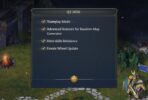


Type ‘Unfrozen’ in Main Menu (Siege Screen). Text will appear near the version of the game — cheat. Start the game — to activate Cheat Panel click F2.