Magog / Lich attack mod

| Platform | ERA 3 |
| File Size | 1 MB |
| Version | 1.0 |
| Updated | 28.05. 2024 |
| Author | kongsuni |
| Download (alternative, WoG Folder) | |
| works with Heroes Launcher | |
| How to install: Download the archive and unzip it to your PC. Open “[Gameplay] Magog Attack.zip” folder and copy “Magog Attack” to Heroes 3 ERA “\Mods” directory. Actiavte via Mod Manager. | |
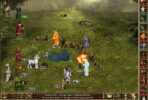
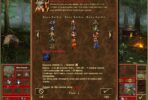
Magog / Lich / Power Lich shooting for empty space. Press G to shoot.
If a modification does not work after activation, move it to a higher position in the Mod Manager.
Heroes III Griffin shield badge in stock

WoG Folder – All HoMM mods in one place



I confirm, nothing happens.
Thanks for the info. I just tried it, but I had the same problem. The mod started working when I moved it to a higher position in the Mod manager.
It didn’t work, i press g button, but nothing happen.
Thanks for the info. I just tried it, but I had the same problem. The mod started working when I moved it to a higher position in the Mod manager.