Immersive Towns mod download
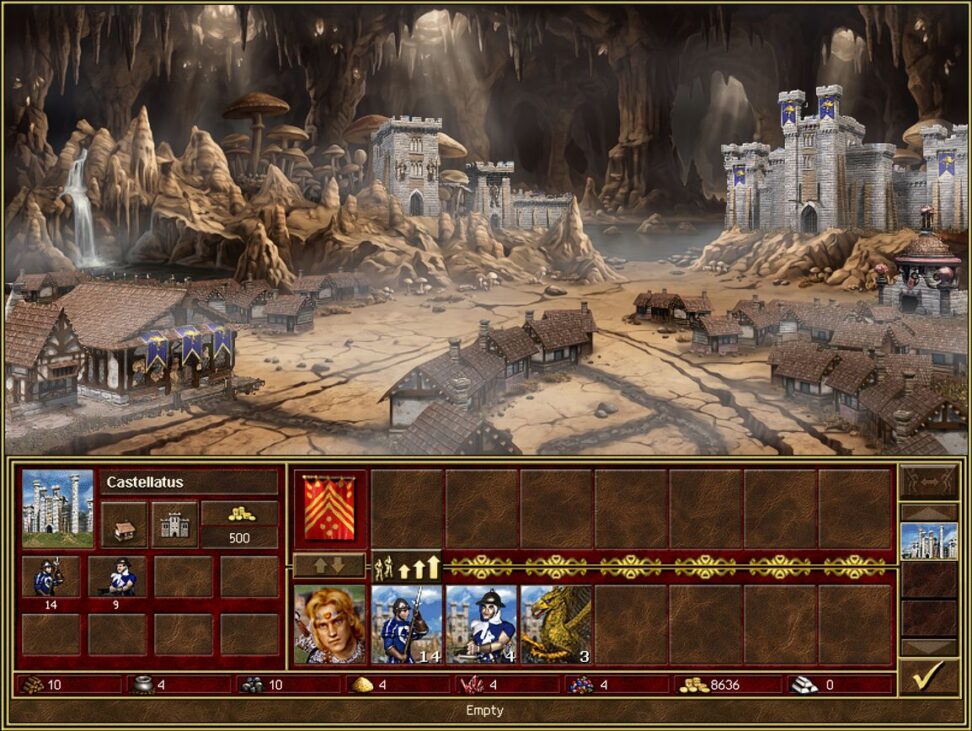
Your town lives in its world. Each town screen shows the land the town was built on, the hour of the day and the weather of the day. Implemented: Castle Only.
| Platform | ERA Project |
| Cathegory | Graphics |
| File Size | 17 MB |
| Version | alpha |
| Updated | 25.11.2026 |
| Author | Sinistral |
| Status | active |
| Download (alternative, WoG Folder) | |
| or install / update this mod via Heroes Launcher | |
| ⚙️WoG Folder is online source of HoMM mods I’ve discovered over the past decade. It’s regularly updated, and all mods are neatly organized. The WoG Folder also contains various goodies like the “Did you know?“ series, artworks, manuals, meme collections, and more. | |
Immersive Towns mod description:
Terrain: A Town will change its appearance from the terrain under the town’s entrance.
Time of day: Each town has it’s own time each day, rolled on a new day: morning, noon, evening or midnight. The sky, the land and the buildings take the light of that hour: a low sun rising over the hills, golden evening light, a full moon at midnight with moonlit walls, glowing windows and a silver glitter on the lake.
Buildings cast soft shadows away from the sun or the moon. Underground will have no such time – only the warm light of the town at night.
Weather: Every town has its weather, new each day: clear, rain, mist, dry thunderstorm or rain thunderstorm. It follows the land: rain falls as snow on snow towns and as ash and embers on lava; a dry storm blows dust over sand and dirt; underground only mist drifts. Rain falls in depth in front of and behind the buildings, splashing on the nearest ground; lightning forks across the sky and lights the whole town. Weather never changes the buildings themselves.
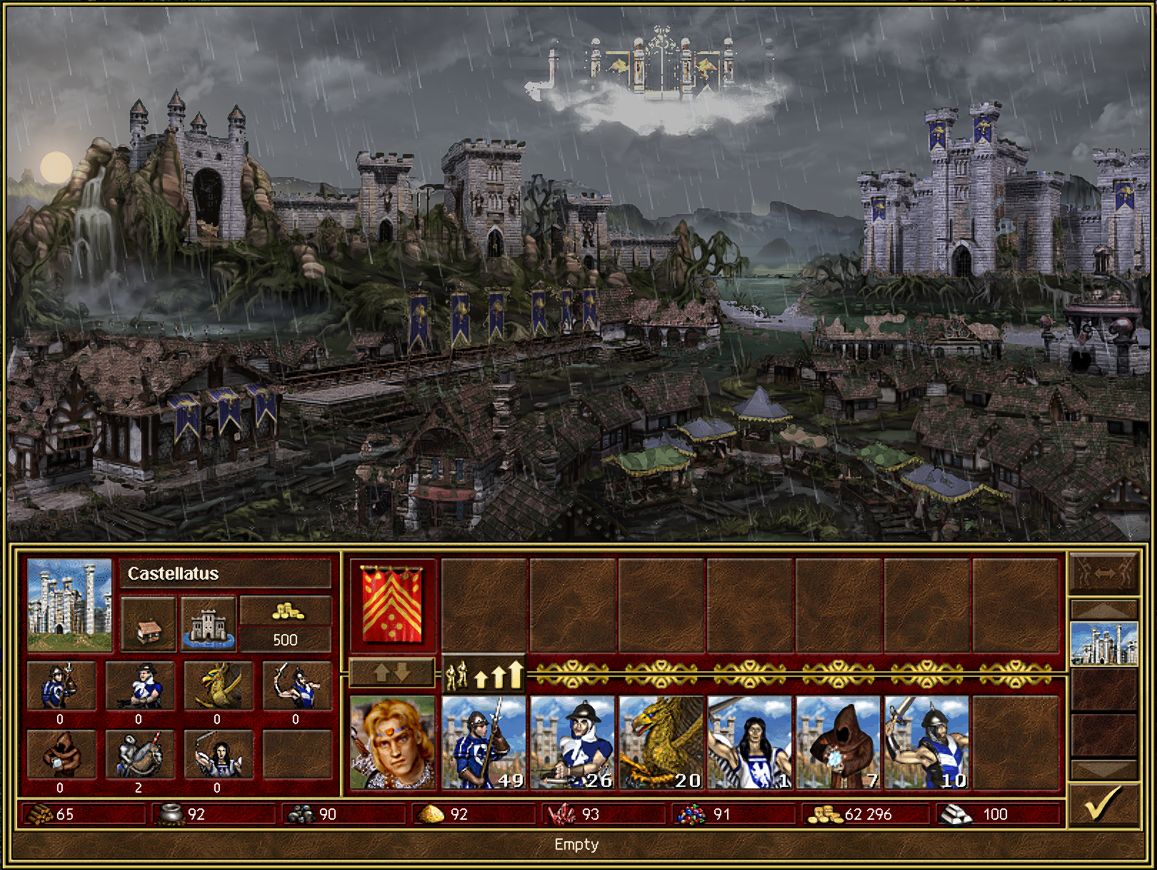
HOW TO USE
Unzip the release into Heroes 3 ERA\Mods\ and enable Immersive Town in the Mod Manager. Open any Castle.
Settings: Mods\Immersive Town\Data\Immersive Town.ini – turn off the time of day and weather ([Day] Enabled), the sun and moon, the shadows or the smooth weather. Restart the game after a change. Log: Runtime\Immersive Town\tls_log.txt.
Debug keys (this test version)
In an open town screen:
- Ctrl+Alt+T – next terrain (starts over after the last one)
- Ctrl+Shift+T – choose the terrain from a list (the last page has “Real terrain”)
- Ctrl+Alt+D – next time of day
- Ctrl+Alt+W – next weather
A chosen terrain lasts until you restart the game; a chosen time or weather lasts for this town until the next day.
COMPATIBILITY
- Towns of Day and Night mod: NOT COMPATIBLE.
- Living Adventure Map: Intended to works beside it. Later will add exclusive interactions
- Mods that replace the Castle town screen or its buildings: NOT COMPATIBLE.
Source: https://github.com/phoenixoke/immersive-town
Heroes III Griffin shield badge in stock

WoG Folder – All HoMM mods in one place